
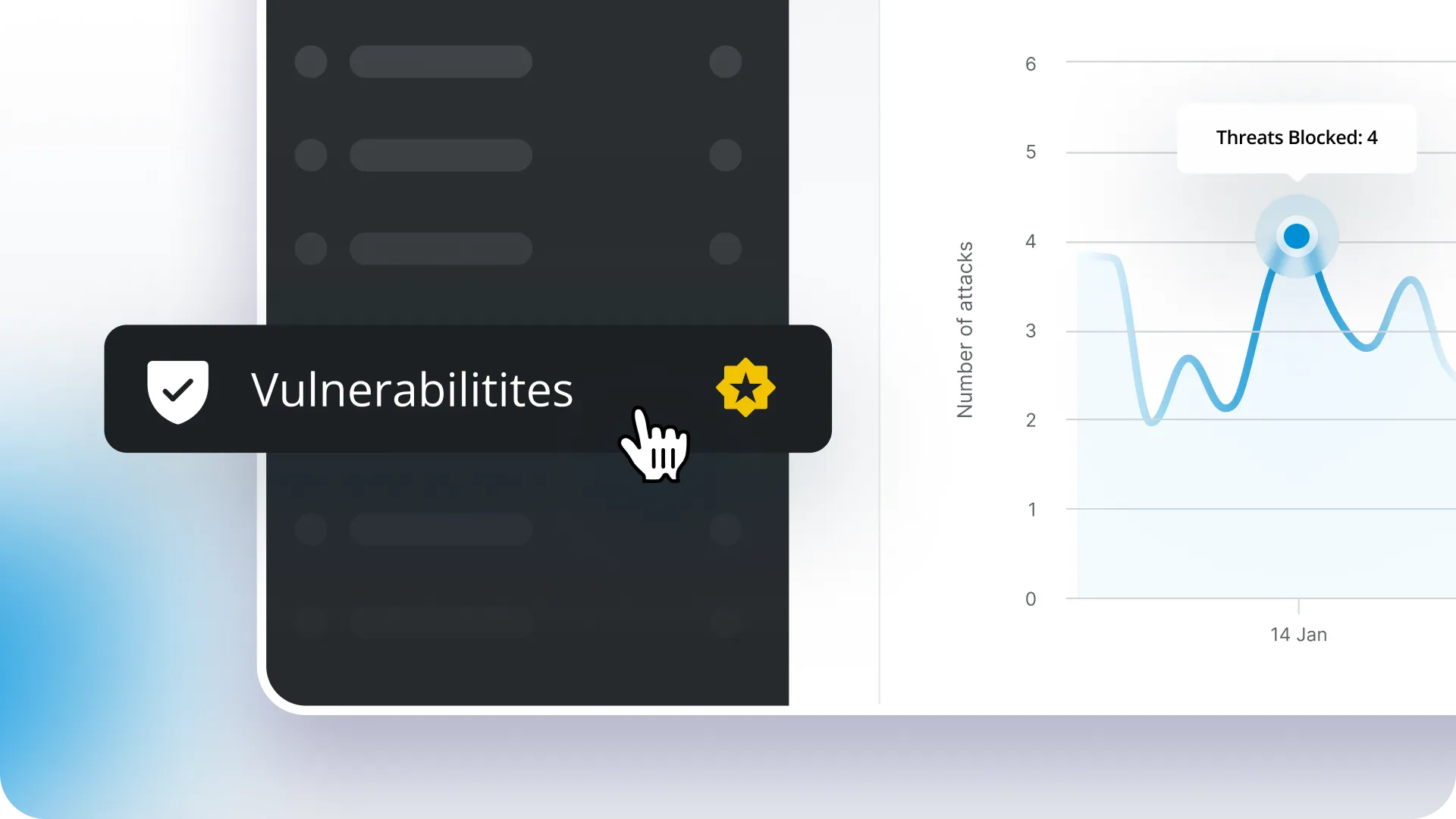
Protecting WordPress sites from vulnerabilities just got easier. We partnered with Patchstack to deliver automatic virtual vulnerability mitigation that blocks exploits 48 hours before they go public (with no configuration required!)
For years, we’ve had vulnerability detection in ManageWP, but the protection part is new. Patchstack’s virtual vulnerability mitigation shields your sites before vulnerabilities become public knowledge. Moreover, it blocks exploits before plugin developers even release updates. It runs in the background and only alerts you when needed. As a result, that critical window between vulnerability announcement and updates? We’ve closed it.
The problem we’re solving
Let me give you some context. According to Patchstack and Sucuri’s 2025 State of WordPress Security report, 7,966 new vulnerabilities were discovered in WordPress in 2024. That’s 22 new vulnerabilities every single day.
The real killer isn’t that vulnerabilities exist (that’s inevitable with any software). It’s the time gap between when developers discover them and when the fix becomes available.
Here’s what typically happens: A security researcher finds a critical flaw in a popular plugin. The plugin developer gets notified privately and races to release a patch. Once the patch is out, the vulnerability details become public so people know to update. But that public disclosure is when hackers start scanning for vulnerable sites.
And here’s where it gets dangerous: in 2024, developers didn’t fix 33% of vulnerabilities in time for public disclosure. Many existed in abandoned plugins that will never get patched, while others simply took too long to fix.
To make matters worse, hosts without application-layer security fail to block 87.8% of vulnerability exploits.
Clearly, that window between public disclosure and when sites actually update is when attacks happen. Fortunately, Patchstack solves this with automatic protection that works before vulnerabilities go public. That’s the security side handled
So what does ManageWP add to this?
You already manage everything from one dashboard: backups, updates, uptime monitoring, client reports etc. Why should security be any different? With this integration, Patchstack Protection lives right inside your ManageWP account. This means no separate login, no switching between tools, and no additional platform to monitor.
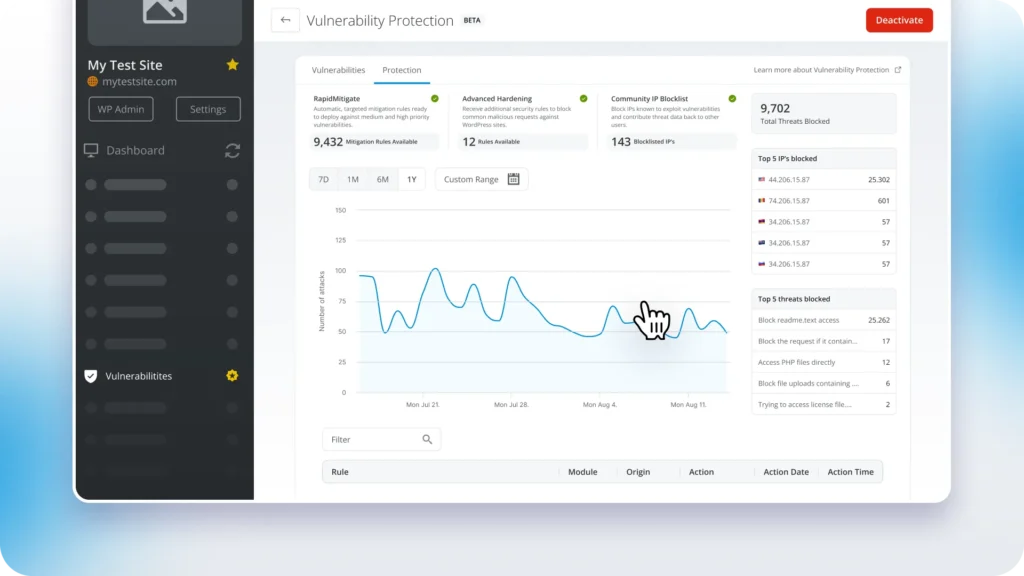
Simply put, we wanted you to stay protected without changing how you work.
How WordPress vulnerability protection actually works
Here’s what runs in the background once you enable it:
- Automatic vulnerability scanning – Continuous monitoring across all your sites. The system cross-references WordPress core, every plugin, and every theme against Patchstack’s database in real-time. Plus, it requires no configuration.
- Mitigation rule applied – When the system detects a vulnerability, protection applies immediately at the application level. It blocks the exploit even if the plugin developer hasn’t released an update yet. This means no code changes to your WordPress installation, no compatibility issues, and no waiting.
- 48-hour early protection – Powered by Patchstack’s Alliance: a community of ethical hackers and security researchers who discover and verify vulnerabilities before public disclosure. This means you get that critical head start automatically.
- Smart notifications – See what’s affected and what’s already protected. Most of the time, these are just FYI alerts since mitigation rules are already working. As a result, you can update plugins on your schedule, not in panic mode.
- Zero performance impact – Protection activates only when it detects an exploit attempt, not constantly in the background, so your sites stay fast.
Understanding protection technology
Now that you know what it does, let’s look at how the protection actually works. Patchstack Protection uses three security modules that work together:
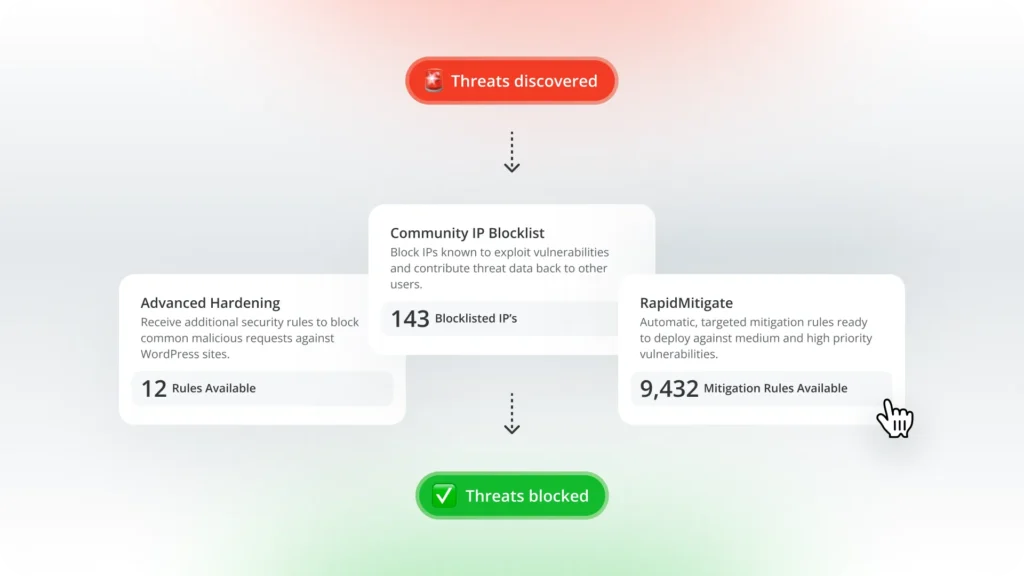
Mitigation rules protect against specific vulnerabilities in your installed plugins and themes. Each rule targets exact exploit conditions, so legitimate functionality isn’t blocked.
Advanced Hardening stops common WordPress attack patterns:
• Blocks backdoor file uploads
• Prevents unauthorized configuration changes
• Blocks privilege escalation attempts
• Protects sensitive files (wp-config.php, debug.log)
• Disables user enumeration
Community IP Blocklist blocks known malicious IP addresses that are actively exploiting vulnerabilities across the Patchstack network.
All three modules update automatically in the background as the system discovers new threats. Together, they create a comprehensive security layer that adapts to new threats without any action required from you.
Does this replace your WordPress security plugin?
So where does this fit with your existing security setup? If you’re already using a security plugin, you might be wondering if this replaces it or conflicts with it.
Short answer: it works alongside what you already have.
Here’s the difference. Traditional security plugins focus on things like firewall rules, login protection, brute force prevention, file monitoring, and malware scanning. That’s all important.
In contrast, this protection focuses specifically on known vulnerabilities in the exact plugins and themes you have installed. When researchers discover a vulnerability in a popular plugin, even one with millions of installs, the system delivers targeted protection that blocks that specific exploit.
Think of it this way: a generic security plugin tries to block suspicious behavior. Patchstack knows exactly which door the bad guys are trying to open and locks it before they get there.
Vulnerabilities in plugins and themes account for almost half of all WordPress malware infections. That’s exactly what this integration addresses, while your other security tools handle everything else.
If you’re not using any security plugin yet, this covers the biggest threat. You might still want basic login protection, but fortunately, we now handle the vulnerability side.
Getting started with vulnerability protection
Getting started is easy. For Early Access users, it’s already waiting in your dashboard. First, go to any website in your dashboard and locate Vulnerabilities in the tools list. Detection is enabled by default at no cost. Want full protection? Simply click Upgrade and you’re done.
From there, the system will scan your plugins and themes and start showing vulnerability information. Protection begins working right away.
Not in Early Access yet? Join now:
- Click your account dropdown
- Select “Early Access”
- Hit “Sign up”
Takes 10 seconds. Then refresh and Vulnerabilities shows up in your tools.
Best of all, no extra cost during Early Access. Whether you’re protecting 5 sites or 500, it’s included.
What’s included and what’s next
You’ll see vulnerability information in your client reports right away (it’s in the Security section). Plus, the services widget displays protection status for all your sites at a glance.
We didn’t just think this feature would be nice to have. You made it your #1 most requested item on our roadmap. You told us vulnerability protection was critical, and we listened.
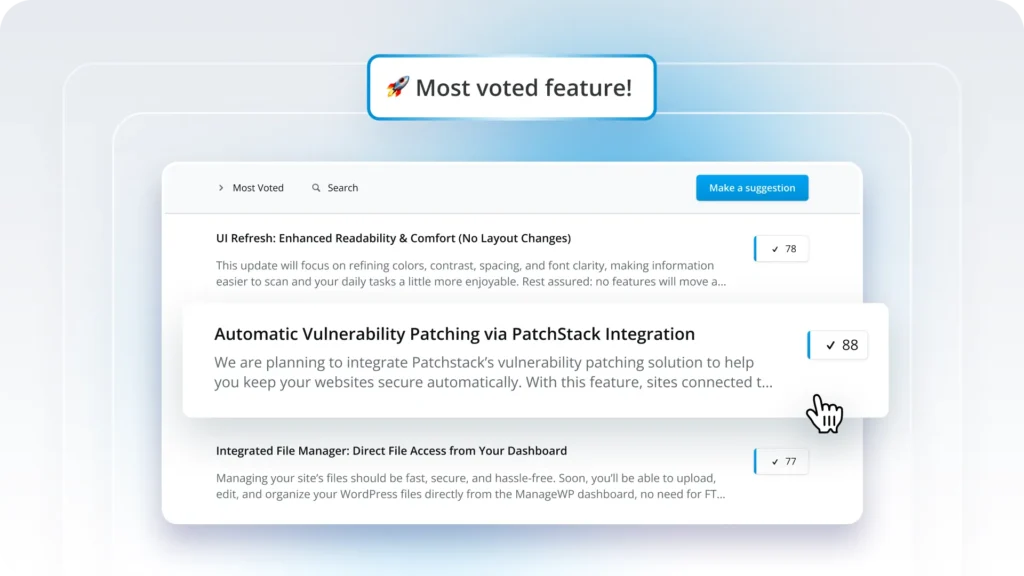
So where we go from here depends on your feedback. This is Early Access for a reason. We want to hear from you:
- How does this fit into your workflow?
- What’s missing?
- What would make this more useful?
We’re listening. Use the ‘send feedback’ form or drop comments below (we read every response).
Conclusion: Automated protection for the biggest WordPress threat
Here’s reality: 22 new WordPress vulnerabilities show up every single day. They’re not stopping. But the mad dash to update everything before the bad guys find it? We just eliminated that problem. Patchstack Protection sits right in your ManageWP dashboard and blocks exploits two full days before they become public knowledge. It works right where you already handle backups, updates, and everything else.
Bottom line: One dashboard. No emergency weekend updates. No window where your sites are sitting ducks. Just protection doing its job while you do yours.


Leave a Reply